All use casesUse case 3 of 4
Mandatory training
Who completed the instruction? The answer is a verifiable certificate in your Nextcloud.
Fire safety, data protection, first aid, any instruction that comes back every year. Learning keeps the reading, the exam, the certificate and the report in one place and renews them by itself.
- Open first, then confirm, then the exam: the server enforces the order, not the reminder email.
- Next year the renewal runs by itself; renewing early costs no day of validity.
The first conversation costs nothing.
The call and the introduction are done by the developer of the app. What applies if he is unavailable
For whom
For whoever is responsible for yearly instruction: data protection coordination, health and safety, HR development, quality management. Usually together with the IT lead who runs the Nextcloud.
The trigger
Today the evidence is a signature list or a spreadsheet, and before every audit someone makes phone calls. A separate LMS means separate accounts, a separate cloud and a separate budget.
Training Five steps. The server keeps the order.
Five steps. The server keeps the order.
Not a reminder email makes sure people read first and take the exam second. The app does.
-
Open
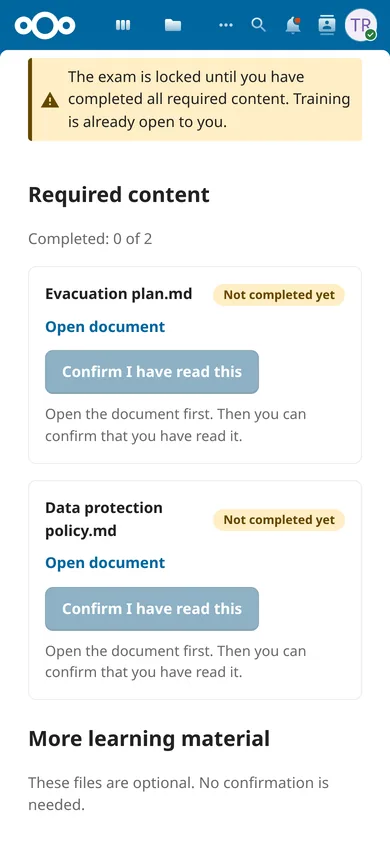
Required documents sit in an ordinary Nextcloud folder. Only someone who has opened the current version can confirm it.
Exhibit 1 Full-size evidence -
Confirm
The exam stays closed until all required content is confirmed; training is open from the start. If a file changes, people confirm again.
Exhibit 2 Full-size evidence -
Pass
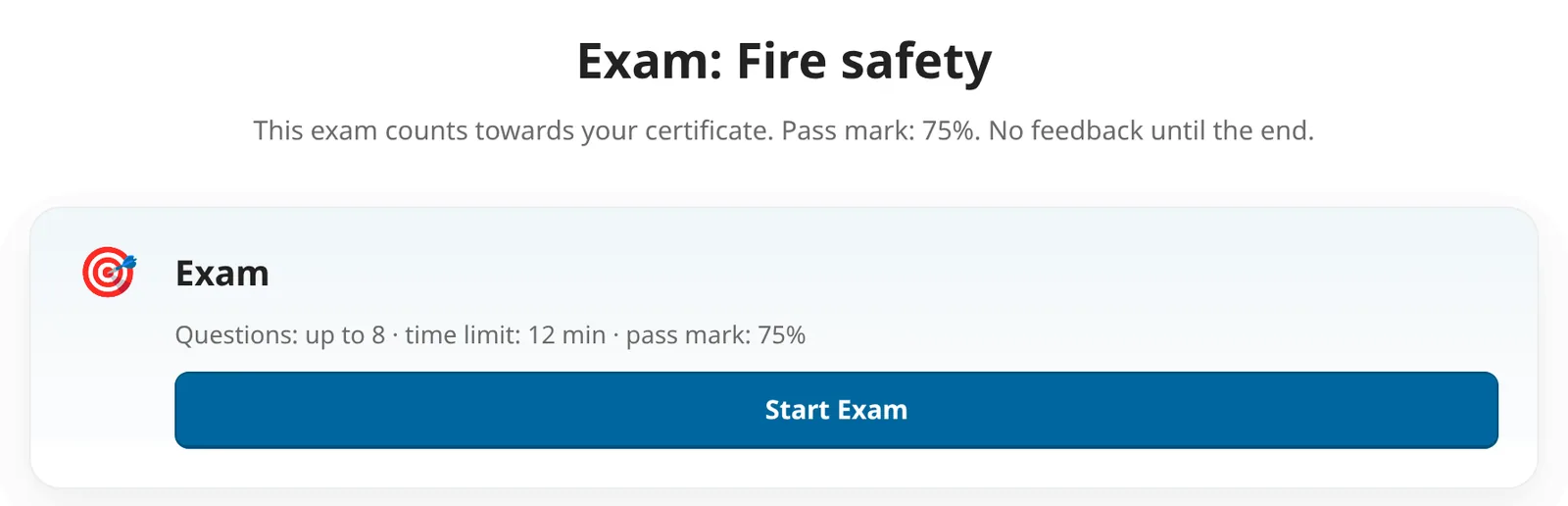
Every required pool has its own exam. You set the number of questions, the time limit and the pass mark; feedback only comes at the end.
Exhibit 3 Full-size evidence -
Certificate
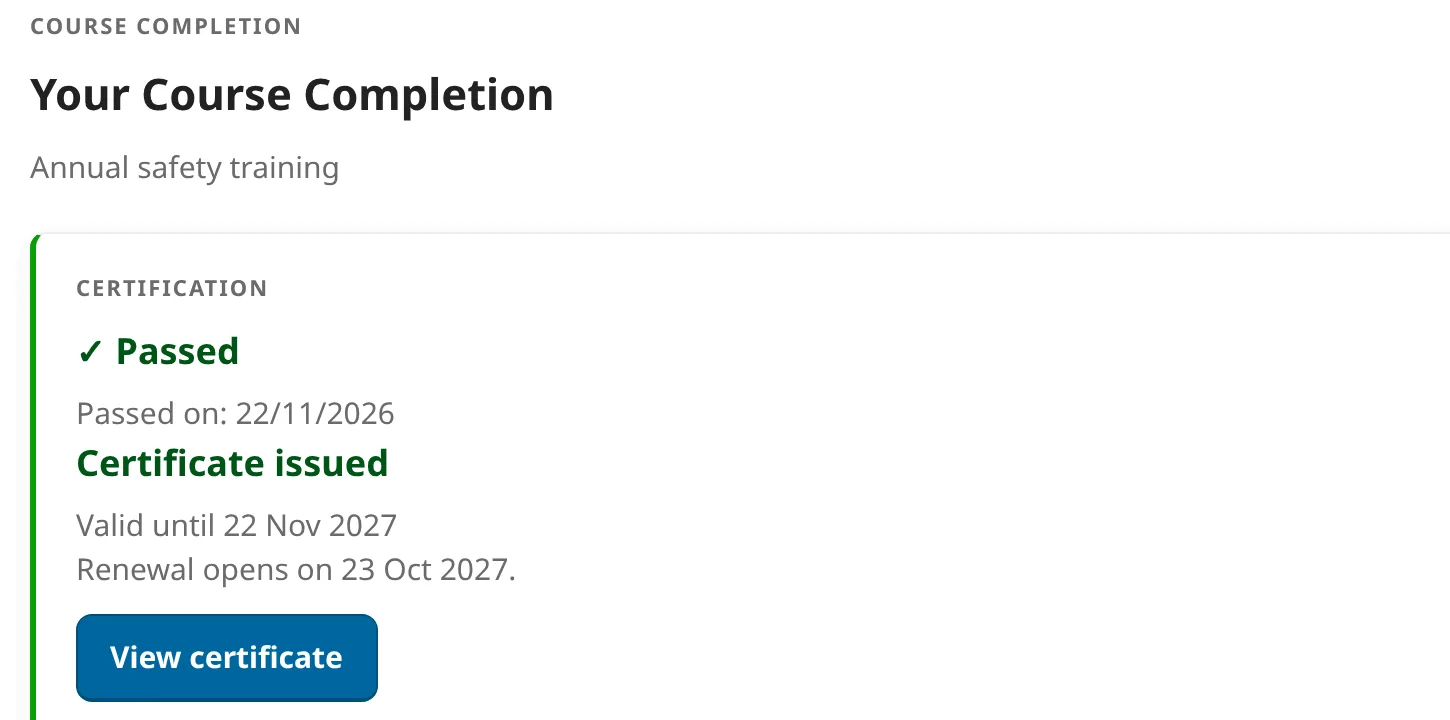
Whoever passes gets the certificate at once, with QR code and verification address. Print it or save it as a PDF, one A4 landscape page each.
Exhibit 4 Full-size evidence -
Report
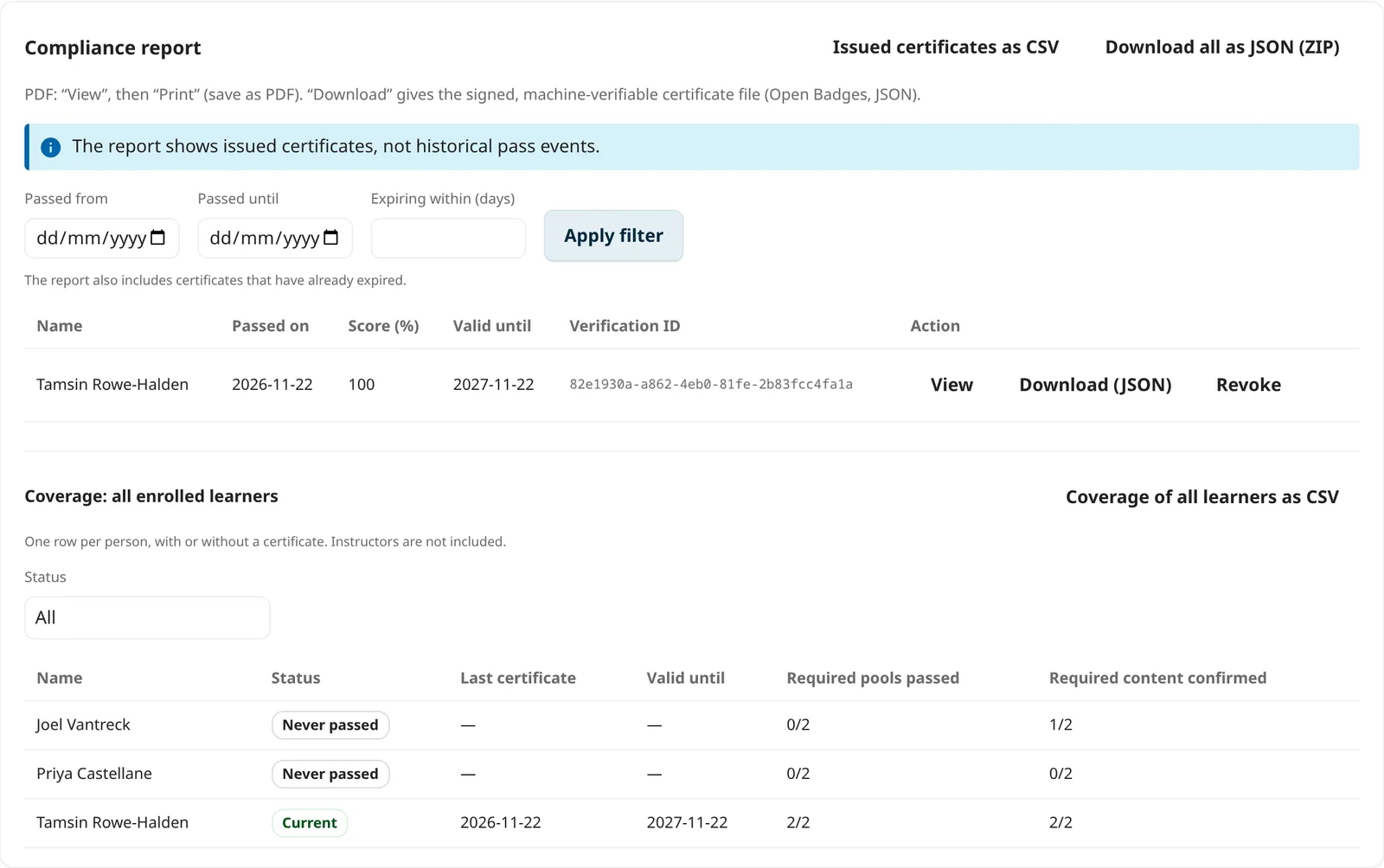
Coverage lists everyone enrolled, with or without a certificate: current, renewal open, overdue, never passed. Export as CSV, all certificates as a ZIP of signed JSON files.



Training What the app does, with evidence
What the app does, with evidence
-
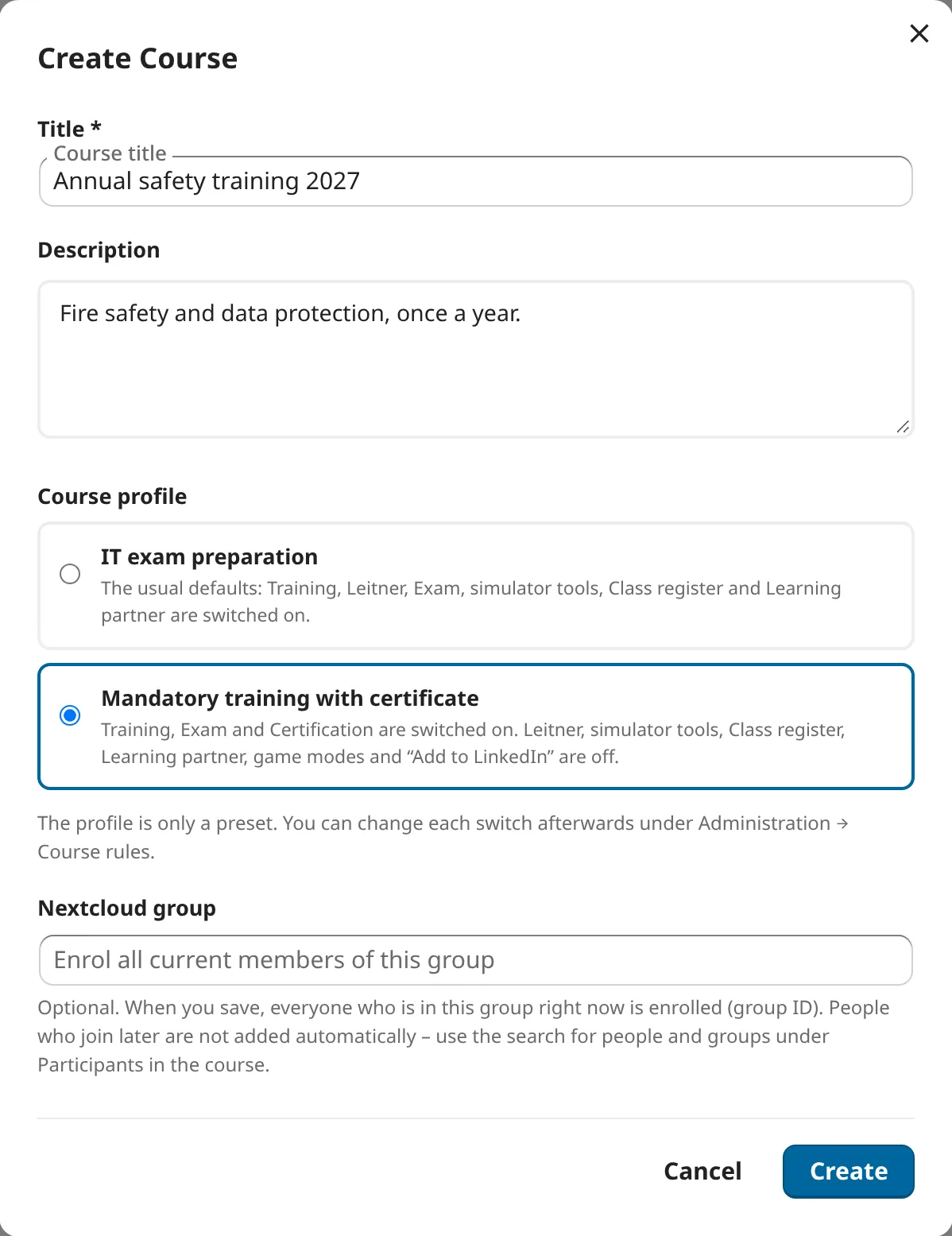
One click to the right profile
The course profile “Mandatory training with certificate” switches on training, exam and certification and switches off spaced repetition, simulators, game modes and the LinkedIn button. It is only a preset; every switch stays yours.
Exhibit 5 Full-size evidence -
Required reading, enforced by the server
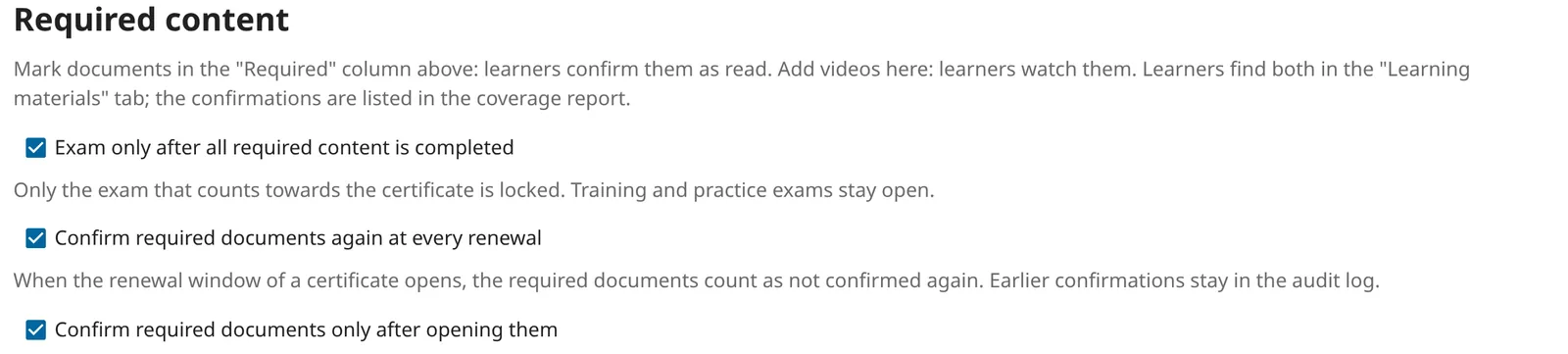
You mark documents as required in an ordinary Nextcloud folder. Learners can only confirm after opening the current version; a changed file asks for a new confirmation. Earlier confirmations stay in the audit log.
Exhibit 6 Full-size evidence -
A certificate that looks like yours
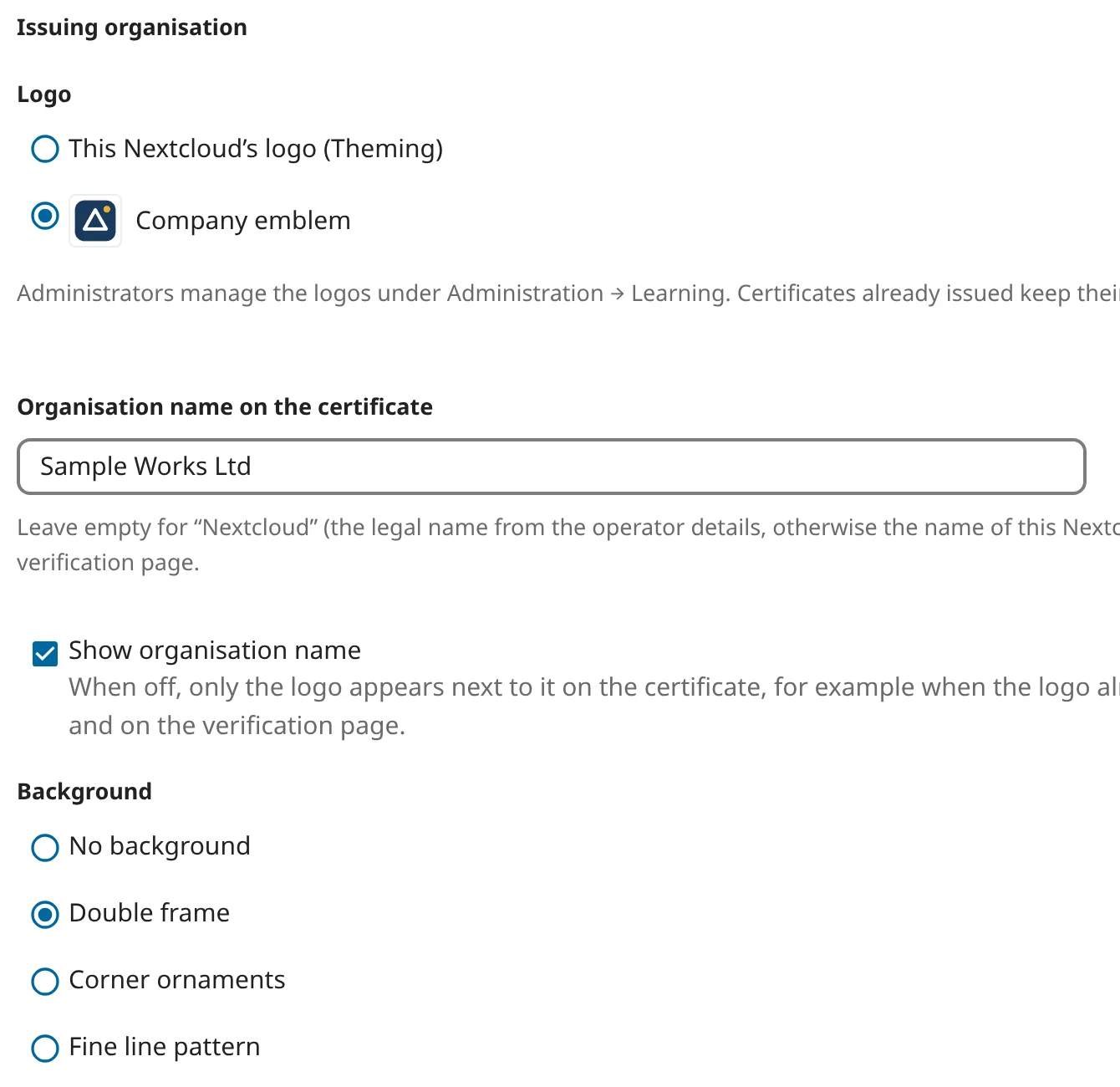
Logo, organisation name, introductory text, stamp and signature per course. QR code and verification link are always printed. Certificates already issued keep their design.
Exhibit 7 Full-size evidence -
Renewal from the first reminder
Reminders 30 and 7 days before expiry, configurable. The renewal opens with the first one. The new validity continues from the old expiry date, so renewing early costs nothing.
Exhibit 8 Full-size evidence -
Coverage of everyone, not only of the certificates
One row per enrolled person: current, renewal open, expired in grace, overdue, never passed. With required pools and confirmed content. CSV in the language of the person exporting it.
Exhibit 9 Full-size evidence
- Day 0 Certificate Valid for a year by the calendar.
- 30 days before First reminder Renewal opens with it.
- Renewed early No day lost The new validity continues from the old expiry date.
- Expiry 14 days grace Configurable. The report says: expired, in grace.
- After that Round 2 The round closes and the next one opens.
Transcript
- Choose the required content.
- Learning locks the exam until everything is confirmed.
- Next year, it reminds people in time.
- Renew early and lose no days.
Training Setup and support
What the UG takes off your hands
- The server side: signing key, background jobs, mail, groups.
- Designing the certificate with logo, stamp and signature.
- Setting renewal periods and retention.
- Importing the material and questions of the first training.
- Briefing course leaders.
- Being sure before the audit that the export works.
Training Limits, said plainly
Limits, said plainly
- Only exams started inside the course count; practice exams and spaced repetition never do.
- Without a signing key no certificate is issued; without cron no reminders and no renewal window.
- Groups are a snapshot: people added to a group later are not enrolled automatically.
- Whether the evidence satisfies a particular audit is decided by your auditors, not by the software.