Appendix Install yourself
Everything is free. Here is how to start.
Learning is an ordinary Nextcloud app. No feature is reserved for the UG, and nobody needs to ask permission.
Requirements
- Nextcloud 33 to 35
- PHP 8.2 or newer
- PostgreSQL or MySQL/MariaDB
- Nextcloud background jobs (cron) and mail
Where to get it
Quick start in five steps
Install
In your Nextcloud: Apps, search for “Learning”, download and enable.
Signing key
Once per server, with the button in the Learning administration or on the command line:
occ learning:cert:init-issuerFirst course
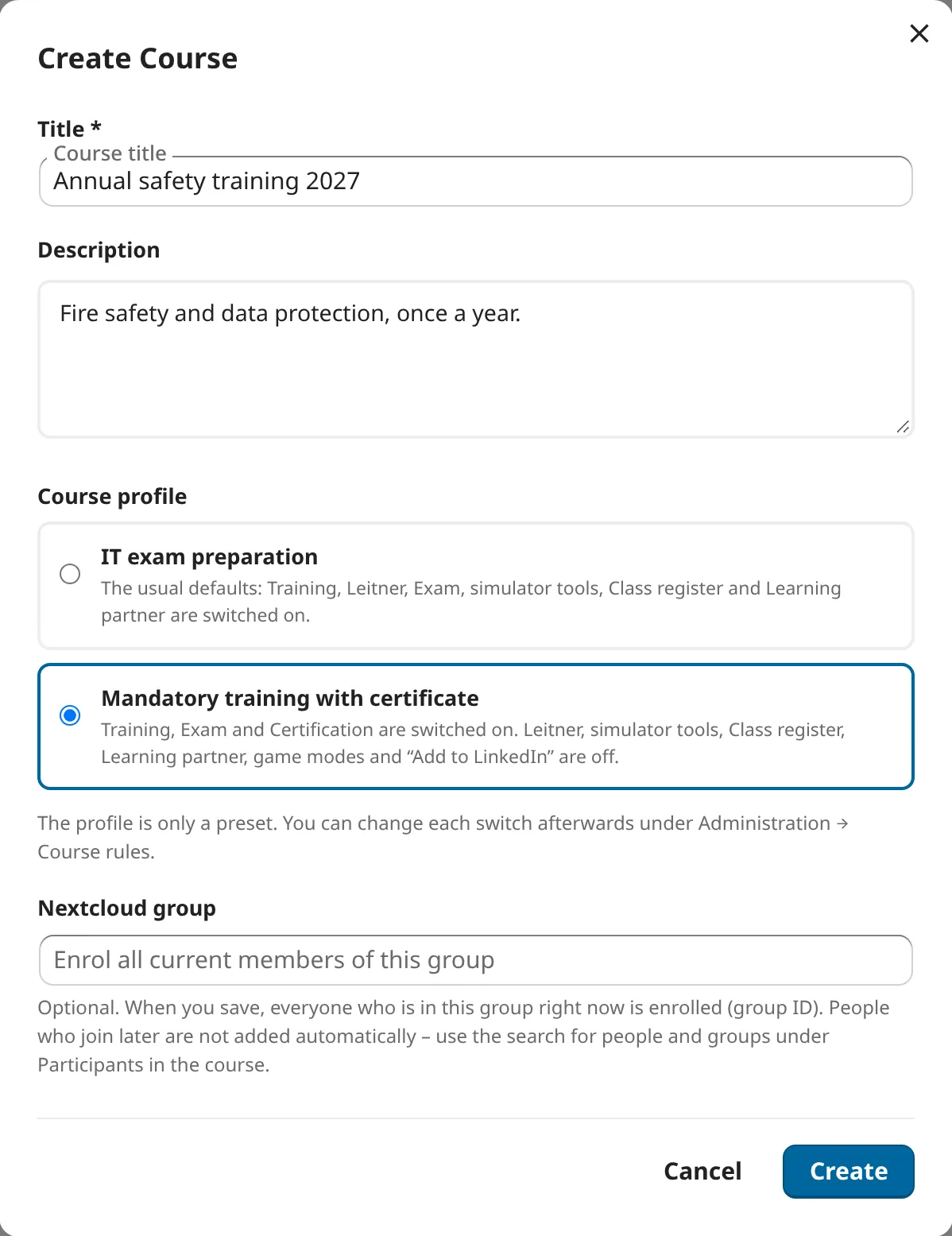
Create a course and choose the profile “Mandatory training with certificate”.
Import questions
CSV or JSON, always with a preview before saving.
Enrol people
Search for people or Nextcloud groups; everyone enrolled is notified.
Stuck halfway?
The introduction by Stiebitz Souverain Systems UG starts exactly where the documentation leaves you alone: in your organisation.
Request an introduction , opens the website of Stiebitz Souverain Systems UG
The first conversation costs nothing.