Sheet 1 of 5 Form Tick, sign, file. This is what training usually looks like.
Learning check
- Subject
- Learning, an app for Nextcloud
- Licence
- AGPL-3.0, free of charge
- Runs in
- Nextcloud 33 to 35
- Used for
- Schools, exam preparation, mandatory training, public sector
Learn, practise, test.Inside your Nextcloud
Questions with feedback on every answer, flashcards that come back just before you forget them, and exams with a certificate anyone can check. The software is free. The introduction is done, on request, by Stiebitz Souverain Systems UG.
Remarks
Learning brings learning to where your people already work: into your Nextcloud.
Date, signature
The first conversation costs nothing.
with Stiebitz Souverain Systems UG
The call and the introduction are done by the developer of the app. What applies if he is unavailable
Attachment 1
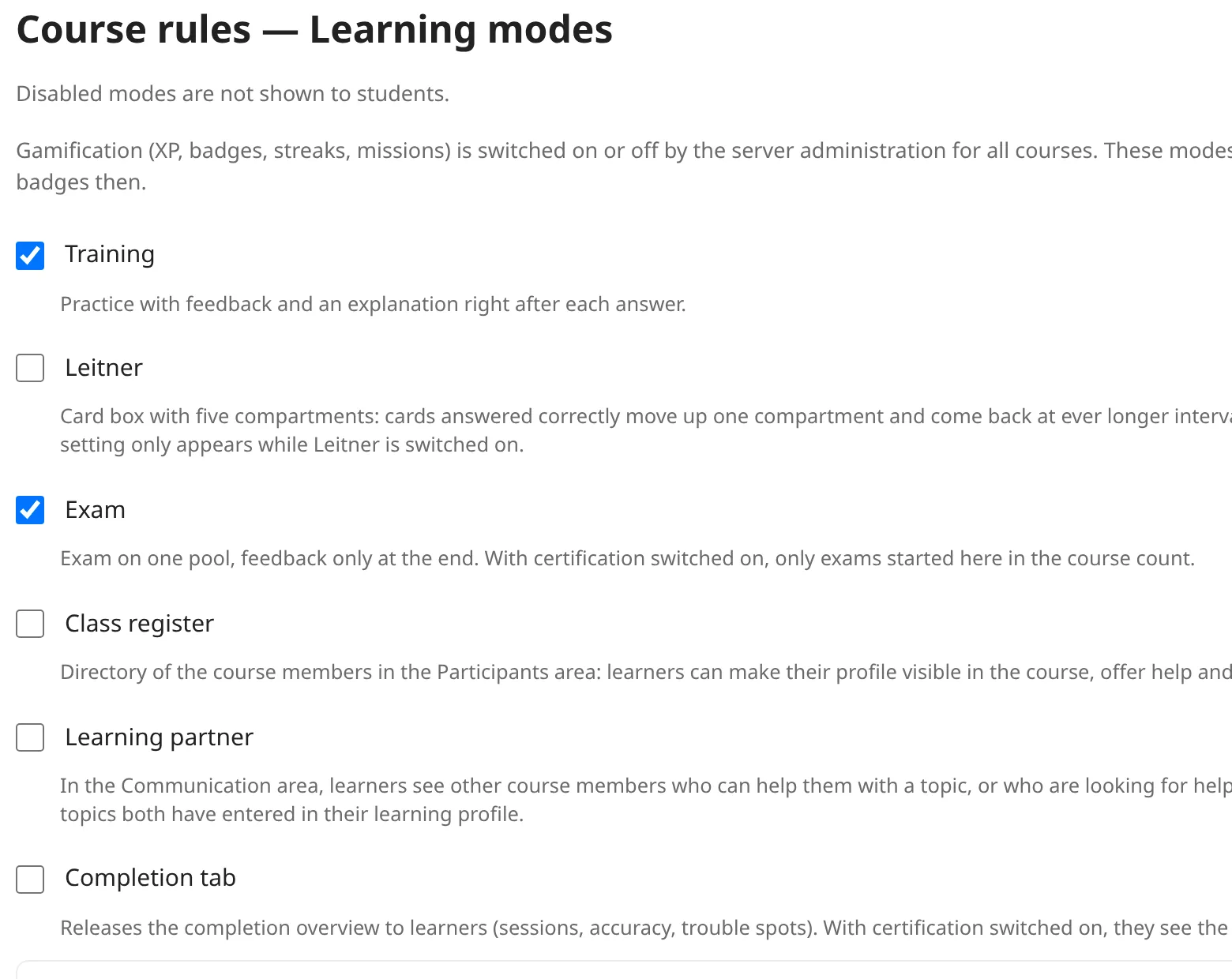
A tick shows that someone clicked. It does not show whether anything stuck.
Sheet 2 of 5 The tear A real question. Wrong does not mean a red cross here, it means an explanation.
Question
What does Learning do when you answer a question wrongly?
Show hint
Try it: go ahead and pick a wrong answer first.
From here on, it is more than ticking boxes.
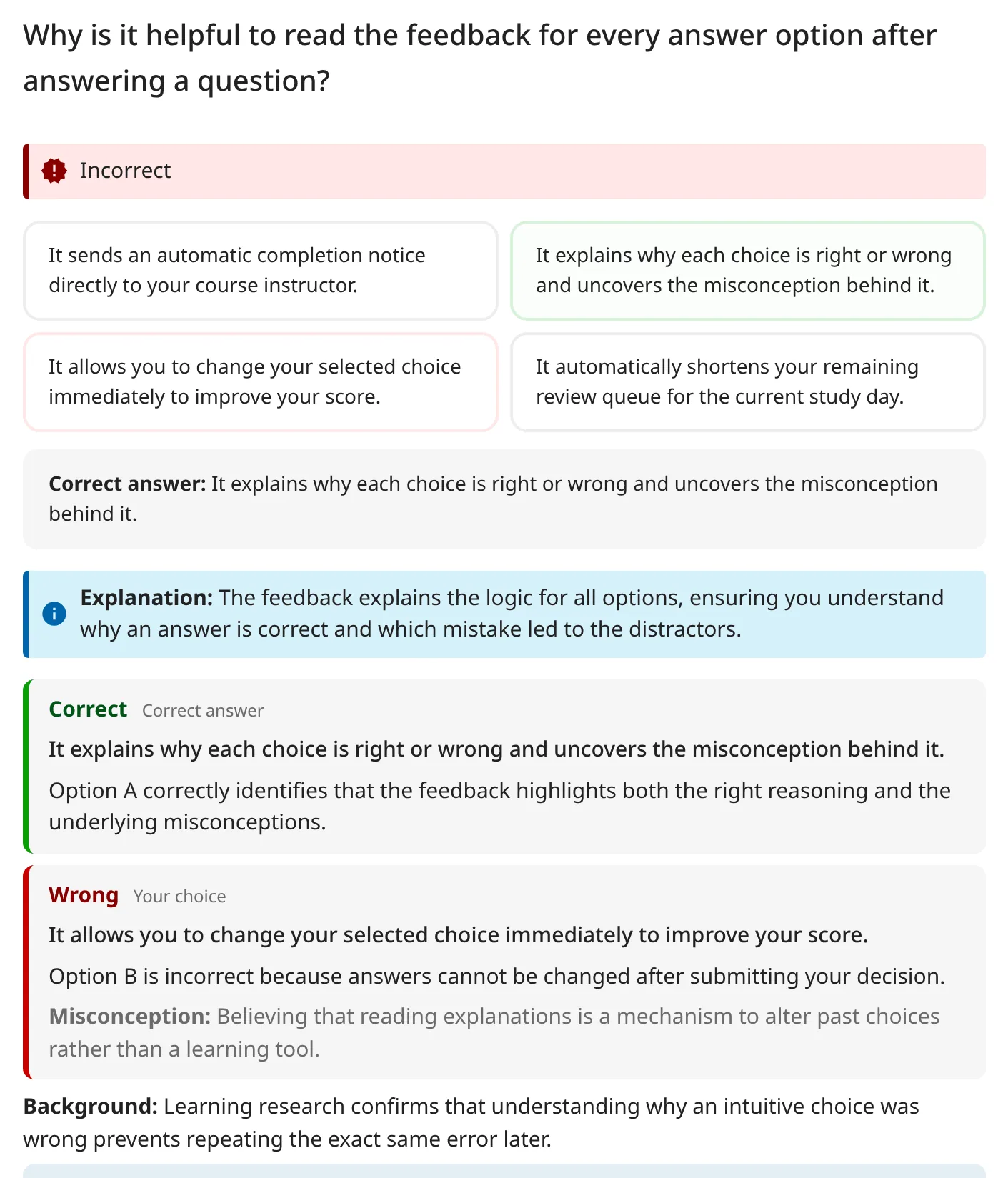
This is how Learning answers in training: every option gets its own feedback, with the reasoning error behind it.
Sheet 3 of 5 Cards Form fields turn into fields of use.
Where it is actually needed.
Match yourself. Every card is a tab in this binder.
- Scenario Schools and education Write questions once, use them in every course. In the Nextcloud your school already runs. Reuse, rights, languages Read more
- Scenario Exam preparation Every wrong option comes with the reasoning error that makes it tempting. Feedback, repetition, exam mode Read more
- Scenario Mandatory training Who completed the instruction? The answer is a verifiable certificate in your Nextcloud. Certificate and audit trail Read more
- Scenario Public sector Training that does not leave your infrastructure. Sovereignty, data on your own server Read more
Sheet 4 of 5 Back in the box What wobbles comes back.
Repetition at the right moment
Spaced repetition with five boxes; the smart queue sorts due cards by memory strength (FSRS-5). A maintenance mode keeps knowledge fresh after the course ends.
Not known: back to box 1. Known: up one box, rated hard: stays in its box.
Spaced repetition and practice exams never count towards a certificate.
Insert Film
Learning in one short film.
The film shows real screens from a test instance with invented names. It starts only when you press play, with subtitles in your language.
Transcript
- Learning often means ticking boxes, signing, filing.
- Nobody asks afterwards what stuck.
- Learning brings learning into the Nextcloud you already have.
- Every answer gets a why, the wrong ones too.
- Training, flashcards, exam: you decide what a course needs.
- Pass, and you get a certificate anyone can check by QR code.
- And you see where your course gets stuck, at school or at work.
- The software is free.
- Stiebitz Souverain Systems UG can set it up for you.
Insert Service
The software is free. You pay for what it cannot do.
Insert Data
Everything stays on your server.AI is off.
Questions, progress and certificates do not leave your Nextcloud as long as no AI is configured. AI only switches on when administrators enter a recipient, Google Gemini or their own Ollama server, and each person consents. Withdrawal takes effect immediately.
One exception you should know: embedded YouTube or Vimeo videos load the provider, but only after a click.
Learning for the public sector Read the privacy section in the code
Sheet 5 of 5 New order Filed: a certificate anyone can verify.
Anyone can check it. Without an account.
The QR code leads to a public page of your Nextcloud. Five checks run there in turn, and all of them must pass. The page does not show the person’s name.
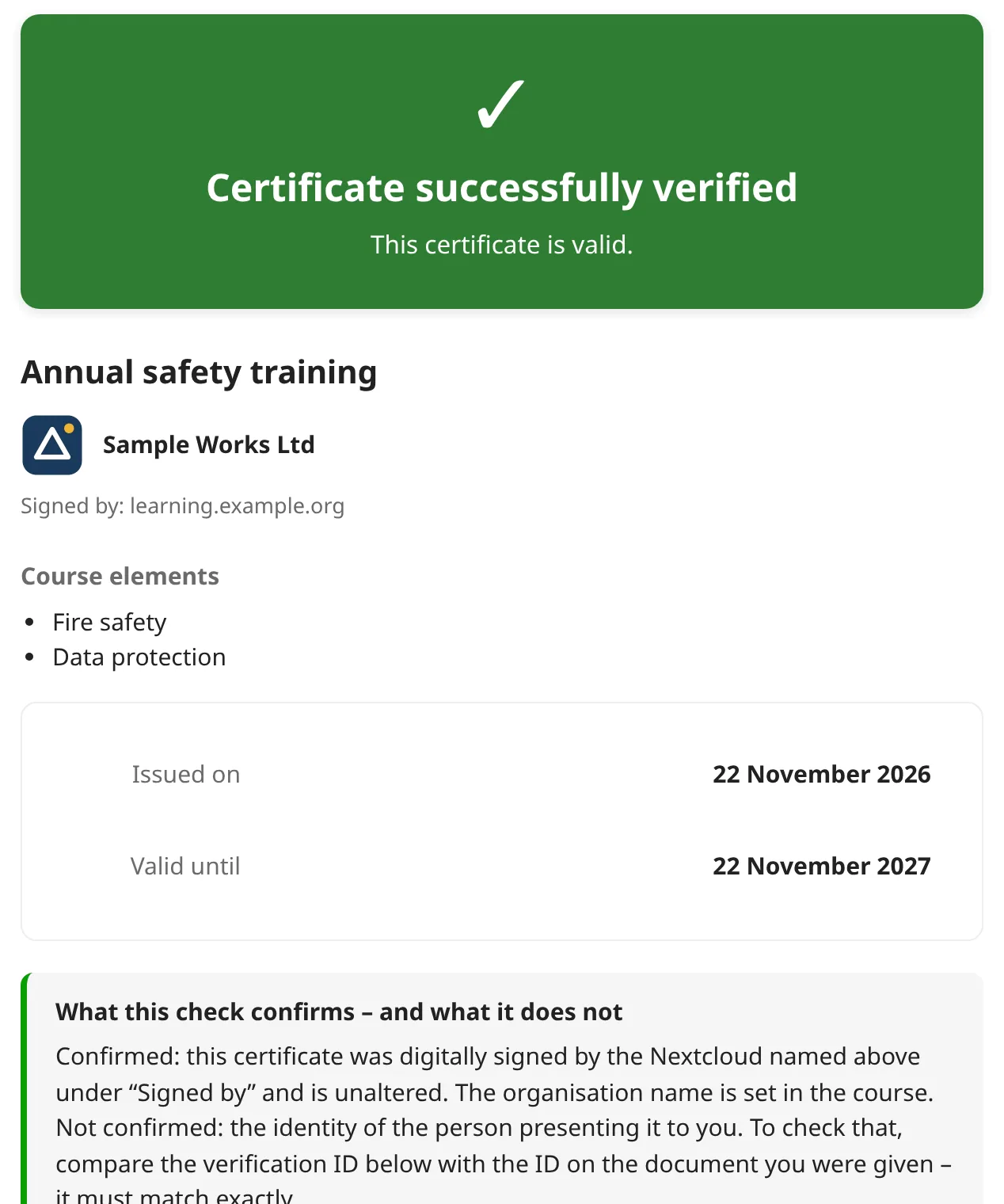
- Signature The content is exactly as your Nextcloud signed it. passed
- Issuer key The key that signed it has a valid status. passed
- Binding The certificate belongs to this person and this course. passed
- Revocation The course leader has not withdrawn it. passed
- Expiry The validity date has not passed. passed
Appendix Two ways
Have it set up, or do it yourself.
Have it set up
Stiebitz Souverain Systems UG sets Learning up in your Nextcloud, runs the first real pass with you and supports you afterwards if you want.
Price after the first conversation. The first conversation costs nothing.
Date, signature
Reply within 2 working days. Response time in writing in the offer, no round-the-clock standby.
Install it yourself
Everything is free. No feature works only with the UG. The quick start has five steps.
- Nextcloud 33 to 35
- PHP 8.2 or newer
- PostgreSQL or MySQL/MariaDB
- Nextcloud background jobs (cron) and mail